
Other ways to say well noted in an email at work: In today’s workplace, email remains one of the most important communication tools. Whether you use Microsoft Outlook, Gmail, or another email platform, the way you acknowledge messages shapes how colleagues, managers, clients, and business partners perceive you. A short reply such as “Well noted” may seem harmless, yet many professionals wonder whether it sounds polite, natural, or even appropriate.
If you’ve ever paused before sending an email because you weren’t sure whether “Well noted” sounded too formal or too cold, you’re not alone.
The good news is that there are many better options. Depending on the situation, you can choose a response that expresses appreciation, confirms understanding, or communicates your next step more clearly. Instead of relying on the same phrase every time, you can make your professional communication sound warmer, more confident, and more effective.
This guide explains the well noted meaning, when the phrase works, when it doesn’t, and introduces more than 25 practical alternatives you can start using immediately. Along the way, you’ll also learn how to improve your email etiquette, strengthen your business correspondence, and write responses that leave a positive impression.
Key Takeaways
- “Well noted” means you’ve received and understood information.
- The phrase is acceptable but isn’t always the best choice.
- Different workplace situations call for different responses.
- Good email acknowledgment should sound clear, polite, and professional.
- Adding a brief next step often creates a stronger reply than simply writing “Well noted.”
- Choosing the right wording improves workplace communication and builds stronger professional relationships.
What Does Well Noted Mean in a Professional Email?
The well noted meaning is straightforward. It tells the sender that you’ve received their message and understand its contents.
In other words, you’re saying:
- I have read your email.
- I understand the information.
- I acknowledge your instructions or update.
- I’ll remember this information.
Unlike a simple “Thanks,” well noted focuses more on acknowledgment than appreciation.
Quick Definition
Well noted: A professional expression used to acknowledge that information has been received, understood, and taken into consideration.
Many professionals use it in:
- Business emails
- Project communication
- Manager emails
- Client emails
- HR emails
- Internal team discussions
- Formal requests
Although the phrase is widely understood, communication experts generally recommend choosing more natural wording whenever possible. Responses that show appreciation or explain what you’ll do next often create a better impression.
Why Professionals Use Well Noted in Emails
People often choose well noted because it’s short.
Instead of writing several sentences, they simply acknowledge the message and move on.
Here are a few common situations where professionals use it:
| Situation | Purpose |
|---|---|
| Receiving project updates | Confirm information received |
| Accepting new instructions | Show understanding |
| Receiving meeting schedules | Confirm acknowledgment |
| Client requests | Show awareness |
| Policy updates | Confirm receipt |
| HR announcements | Acknowledge communication |
Despite its convenience, relying on the same phrase repeatedly can make your emails feel repetitive or impersonal.
That’s why learning other ways to say well noted becomes valuable.
Is Well Noted Professional?
Yes—but with an important qualification.
The phrase is generally considered professional. However, that doesn’t automatically make it the best choice.
Many business writing specialists recommend using more conversational acknowledgments because they sound warmer and demonstrate stronger engagement.
Compare these responses:
Email A
Well noted.
Email B
Thank you for the update. I’ll review the document this afternoon.
Both acknowledge the message.
The second response also:
- Shows appreciation.
- Confirms understanding.
- Explains the next action.
- Sounds more collaborative.
As a result, it usually creates a better professional impression.
When Well Noted Works Best
The phrase works well when you simply need to acknowledge information without adding further discussion.
Examples include:
- Meeting invitations
- Schedule changes
- Project updates
- Internal announcements
- Status reports
- Routine reminders
Example:
Thank you for sharing the revised timeline. Well noted.
When You Should Avoid Saying Well Noted
Although professional, the phrase isn’t ideal in every situation.
Avoid using it when:
You’re replying to a client
Clients generally appreciate warmer communication.
Instead of:
Well noted.
Try:
Thank you for informing me. I’ll review everything today.
Someone spent time giving detailed feedback
If a manager provides thoughtful comments, acknowledge both the message and their effort.
Better response:
I appreciate the update and your detailed feedback. I’ll make the requested revisions.
The email contains sensitive information
Topics involving performance reviews, complaints, legal matters, or customer concerns deserve a more thoughtful response than a two-word acknowledgment.
also like this
- 27+ Other Ways to Say “Looking Forward to Seeing You”
- What Kind vs What Kinds: 29+ Correct Alternatives and When to Use Them
- 29+ Professional Ways to Say “Good Luck in Your Future Endeavors”
- Trash vs Garbage: Meaning, Differences, and Real-Life Usage
Why Some People Think Well Noted Sounds Cold
Many communication professionals believe well noted lacks emotion.
It confirms receipt, but it doesn’t necessarily communicate appreciation.
Compare these examples.
Example One
Well noted.
Example Two
Thank you for your email. I’ve taken note of your suggestions and will update the proposal accordingly.
The second reply feels more human.
It reassures the sender that their message mattered.
That’s one reason why modern business writing encourages slightly more personalized responses.
How to Choose the Right Alternative to Well Noted
Choosing the right phrase depends on more than formality.
Think about three questions before replying.
Who sent the email?
Different relationships require different wording.
| Sender | Recommended Tone |
|---|---|
| Manager | Respectful and clear |
| Client | Warm and professional |
| Coworker | Friendly but professional |
| HR | Formal |
| Vendor | Courteous |
| Customer | Helpful and reassuring |
Why are you replying?
Every acknowledgment serves a different purpose.
You may need to:
- Confirm receipt
- Confirm understanding
- Accept instructions
- Express appreciation
- Confirm future action
- Request clarification
Knowing your objective helps you choose the most appropriate professional email wording.
Will you take action?
If you’re expected to do something, don’t stop after acknowledging the email.
Instead, combine acknowledgment with your next step.
Example:
I understand the new requirements and I’ll follow up after reviewing the documents.
This sounds much stronger than simply writing:
Well noted.
Framework for Choosing the Best Email Response
A useful approach is the A.U.T.H. Framework.
| Step | Meaning | Example |
|---|---|---|
| A | Acknowledge | Thank you for your email. |
| U | Understand | I understand your request. |
| T | Take Action | I’ll look into it today. |
| H | Help Further | Please let me know if anything else is needed. |
Following this structure creates clear, professional replies without sounding robotic.
Professional Alternatives to Well Noted
The following alternatives work in different workplace situations. Each option includes its meaning, ideal use case, tone, and a practical example.
Noted.
Meaning
A concise acknowledgment indicating you’ve received the information.
Best For
- Internal emails
- Routine updates
- Team communication
Tone
Neutral
Example
Noted. I’ll update the report before tomorrow’s meeting.
Although simple, adding a second sentence makes the response more complete.
Duly Noted.
One of the most common formal alternatives to well noted, duly noted emphasizes that you’ve officially acknowledged the information.
Best For
- Formal workplace communication
- Corporate documentation
- Policy updates
- Manager communication
Tone
Formal
Example
Duly noted. I’ll ensure the requested changes are reflected in the final report.
While professional, avoid overusing this phrase because some readers perceive it as overly formal.
Acknowledged.
Acknowledged is a direct confirmation that you’ve received the message.
It’s especially common in technical industries, customer support teams, logistics, and project management.
Best For
- Task assignments
- IT support
- Operations
- Internal approvals
Example
Acknowledged. I’ll begin working on the requested updates immediately.
Understood.
Sometimes clarity matters more than confirmation.
If someone provides instructions, understood confirms that you’ve grasped the message.
Best For
- Instructions
- Manager emails
- Team coordination
Example
Understood. I’ll submit the revised proposal before Friday.
Understood, Thank You.
Adding appreciation softens the response.
Instead of sounding transactional, it becomes collaborative.
Best For
- Client communication
- Manager emails
- HR correspondence
Example
Understood, thank you. I’ll make those changes today.
Thank You for the Update.
This phrase acknowledges information while expressing appreciation.
It often feels warmer than well noted email responses.
Best For
- Status reports
- Project updates
- Meeting summaries
Example
Thank you for the update. I’ll review everything before our next meeting.
Thanks for Letting Me Know.
One of the friendliest email response phrases, this alternative works well with coworkers and long-term clients.
Best For
- Informal office communication
- Friendly workplace emails
- Internal announcements
Example
Thanks for letting me know. I’ll adjust my schedule accordingly.
I’ve Made a Note of This.
This response tells the sender you’ll remember the information for future reference.
Best For
- Deadlines
- Calendar changes
- Follow-up reminders
Example
I’ve made a note of this and will prepare everything before the meeting begins.
I’ve Noted Your Feedback.
Receiving feedback requires more than acknowledgment.
This phrase shows you’ve carefully considered the comments.
Best For
- Performance reviews
- Design feedback
- Editorial revisions
- Client comments
Example
I’ve noted your feedback and will revise the presentation before sharing the next draft.
Message Received.
This straightforward response confirms successful communication.
It works particularly well during active project discussions.
Best For
- Team collaboration
- Quick updates
- Project communication
Example
Message received. I’ll coordinate with the design team this afternoon.
End of Part 1.
You have not enough Humanizer words left. Upgrade your Surfer plan.
Part 2
I Understand.
Sometimes the simplest reply communicates exactly what the sender needs to hear. I understand confirms that you’ve read the email and clearly grasp the message.
Compared to well noted, this phrase feels more personal because it emphasizes understanding rather than simple acknowledgment.
Best For
- Manager communication
- Project instructions
- Policy updates
- Client expectations
Tone
Professional and reassuring
Example
I understand your concerns. I’ll revise the proposal and send the updated version before tomorrow afternoon.
I’ll Keep That in Mind.
When someone offers advice or shares a recommendation instead of giving direct instructions, this phrase works naturally.
It signals that you’ve considered the information and plan to remember it in the future.
Best For
- Feedback
- Suggestions
- Coaching
- Performance discussions
Example
I’ll keep that in mind during the next project phase. Thank you for the helpful suggestion.
I’ll Take Care of It.
Rather than simply confirming receipt, this response reassures the sender that action will follow.
Best For
- Assigned tasks
- Manager requests
- Customer service emails
- Internal action items
Example
I’ll take care of it today and send you an update once everything is complete.
Consider It Noted.
This phrase is a polished alternative to well noted. It sounds confident without becoming overly formal.
Best For
- Internal office correspondence
- Team communication
- Routine workplace updates
Example
Consider it noted. I’ll include those changes in the next draft.
Thank You. I’ll Proceed Accordingly.
This combines appreciation with a clear commitment to act.
Best For
- Client emails
- Vendor communication
- Manager requests
Example
Thank you. I’ll proceed accordingly and keep you informed throughout the process.
I’ll Follow Your Instructions.
This phrase removes ambiguity by confirming both understanding and compliance.
Best For
- Compliance requirements
- HR emails
- Project management
- Client instructions
Example
I’ll follow your instructions and submit the completed documents by Friday morning.
I Appreciate the Clarification.
Sometimes people don’t simply provide information—they explain something that was previously unclear.
This phrase acknowledges both the explanation and the effort behind it.
Best For
- Policy explanations
- Technical guidance
- Clarifying misunderstandings
Example
I appreciate the clarification. Everything is much clearer now.
I Have Taken Note of Your Comments.
This alternative sounds thoughtful and works particularly well after receiving detailed feedback.
Best For
- Performance reviews
- Proposal revisions
- Client feedback
- Editorial comments
Example
I have taken note of your comments and will revise the report accordingly.
Your Instructions Are Clear.
Instead of merely acknowledging the message, this response reassures the sender that nothing else needs clarification.
Best For
- Detailed instructions
- Training materials
- Process documentation
Example
Your instructions are clear. I’ll begin implementing them immediately.
Thanks for the Information.
A warm and versatile option that works across most workplace situations.
Best For
- Internal emails
- External emails
- Daily communication
Example
Thanks for the information. I’ll include it in tomorrow’s presentation.
I’ll Keep You Updated.
This response goes one step further than acknowledgment by promising future communication.
Best For
- Ongoing projects
- Customer support
- Team collaboration
Example
I’ll keep you updated as soon as I receive additional information.
I’ll Act on This.
Simple, direct, and action-focused.
Best For
- Task assignments
- Project management
- Operations teams
Example
I’ll act on this immediately and share the results once completed.
This Has Been Recorded.
This phrase appears frequently in administrative, legal, and compliance-related environments.
Best For
- Documentation
- Compliance records
- Administrative communication
Example
This has been recorded in our project documentation for future reference.
I’ll Make the Necessary Changes.
Instead of confirming receipt, this reply immediately tells the sender what will happen next.
Best For
- Design revisions
- Document editing
- Proposal updates
Example
I’ll make the necessary changes and send the revised version this afternoon
I Appreciate Your Guidance.
Acknowledging advice builds stronger professional relationships.
Best For
- Mentorship
- Manager communication
- Leadership coaching
Example
I appreciate your guidance. I’ll apply your recommendations moving forward.
Everything Is Clear.
This concise alternative confirms complete understanding.
Best For
- Instructions
- Project planning
- Team coordination
Example
Everything is clear. I’ll begin working on the requested tasks today.
I’ll Move Forward Accordingly.
This professional phrase demonstrates confidence while confirming the next step.
Best For
- Client projects
- Executive communication
- Strategic planning
Example
I’ll move forward accordingly and provide an update before the end of the week.
Thank You. I’ve Got It.
This response feels friendly while remaining professional.
Best For
- Coworkers
- Internal teams
- Daily communication
Example
Thank you. I’ve got it and will handle everything before the deadline.
I Confirm Receipt.
One of the strongest business email acknowledgment phrases, this option clearly confirms that the email has arrived.
Best For
- Contracts
- Legal documents
- Purchase orders
- HR documentation
Example
I confirm receipt of your documents and will review them shortly.
I’ll Keep This Under Consideration.
Use this phrase when someone offers a suggestion rather than giving a direct instruction.
Best For
- Recommendations
- Strategic planning
- Future discussions
Example
I’ll keep this under consideration during the next planning session.
Quick Comparison Table: Which Alternative Should You Use?
| Phrase | Formality | Best Situation | Shows Appreciation | Indicates Action |
|---|---|---|---|---|
| Acknowledged | High | Operations, IT | No | No |
| Understood | Medium | Instructions | No | No |
| Thank you for the update | Medium | Project updates | Yes | Optional |
| I’ll take care of it | Medium | Assigned tasks | No | Yes |
| I appreciate the clarification | Medium | Explanations | Yes | Optional |
| I confirm receipt | High | Official documents | No | Optional |
| I’ve made a note of this | Medium | Reminders | No | No |
| I’ll proceed accordingly | High | Client communication | Yes | Yes |
| Thanks for letting me know | Friendly | Internal teams | Yes | Optional |
| I’ll follow up | Medium | Ongoing work | Optional | Yes |
Best Alternatives Based on Workplace Situations
Using the same reply in every email isn’t a good communication strategy. The best response depends on the context.
Replying to Your Manager
Managers often expect acknowledgment and accountability.
Good responses include:
- Understood
- I’ll take care of it
- I’ll proceed accordingly
- I understand
- I’ll follow up
Example:
Thank you for your feedback. I understand the requested changes and I’ll update the report before tomorrow morning.
Replying to a Client
Client communication benefits from warmth and professionalism.
Recommended phrases include:
- Thank you for informing me
- I appreciate the update
- I confirm receipt
- I’ll review it
- I’ll proceed accordingly
Example:
Thank you for informing me. I’ve received your message and I’ll review the proposal today.
Replying to a Coworker
Internal conversations usually allow a friendlier tone.
Good options include:
- Got it
- Thanks for letting me know
- Message received
- I’ve got it
- I’ll keep that in mind
Example:
Got it. Thanks for letting me know. I’ll update the spreadsheet this afternoon.
Replying to HR
HR communication often requires formal language.
Recommended responses:
- Acknowledged
- I confirm receipt
- Understood and noted
- Thank you for your email
- I have noted the information
Replying to Customers
Customers appreciate reassurance.
Instead of saying only well noted, reassure them that action will follow.
Example:
Thank you for your email. I’ve received your message and will investigate the issue today.
Replying to Project Updates
Projects involve deadlines, responsibilities, and collaboration.
Useful responses include:
- I’ll look into it
- I’ll follow up
- I’ll proceed accordingly
- Confirmation received
- Information received
Professional Email Examples
Below are practical examples you can adapt for your own business emails.
After Receiving Instructions
Subject: Re: Updated Project Timeline
Thank you for your email. Understood clearly. I’ll follow the revised schedule and keep you updated on our progress.
After Receiving Feedback
Subject: Re: Marketing Presentation
I appreciate the detailed feedback. I’ve taken note of your comments and will make the requested revisions before tomorrow’s meeting.
After a Meeting Summary
Subject: Re: Meeting Notes
Thank you for the update. Message acknowledged. I’ll complete the assigned tasks before our next check-in.
After Deadline Changes
Subject: Re: New Submission Date
Received with thanks. I’ll adjust my schedule and ensure the final report is submitted before the revised deadline.
After Receiving Documents
Subject: Re: Contract Documents
Confirmation received. I’ll review the attached files today and contact you if I have any questions.
After Receiving a Client Request
Subject: Re: Website Revision Request
Thank you for informing me. I have noted your requested changes and I’ll begin updating the website immediately.
Decision Guide: Which Phrase Should You Choose?
| If You Want To… | Best Phrase |
|---|---|
| Confirm receipt | I confirm receipt |
| Confirm understanding | Understood |
| Show appreciation | Thank you for the update |
| Promise action | I’ll take care of it |
| Acknowledge feedback | I’ve taken note of your comments |
| Reply formally | Duly acknowledged |
| Reply casually | Got it |
| Reply professionally to clients | I’ll proceed accordingly |
| Reply to management | Acknowledged |
| Confirm future action | I’ll follow up |
This approach helps you choose the most appropriate response instead of relying on the same phrase every time.
End of Part 2.
Part 3
Common Mistakes to Avoid When Acknowledging Emails
Even experienced professionals occasionally send replies that sound abrupt, vague, or overly formal. Avoiding these common mistakes will make your professional communication more effective and help you build stronger workplace relationships.
Replying With Only “Well Noted”
A two-word response may acknowledge the message, but it rarely adds value.
Instead of writing:
Well noted.
Try:
Thank you for the update. I’ve noted the revised deadline and will submit the report before Friday.
The second reply confirms receipt, shows appreciation, and communicates your next step.
Using the Same Phrase in Every Email
Other ways to say well noted in an email at work: Repeating one expression across every conversation can make your emails sound automated.
Instead, rotate between phrases such as:
- Acknowledged
- Thank you for your email
- I understand
- I’ve taken note
- Received with thanks
- I’ll follow up
- I’ll look into it
- Message acknowledged
- Confirmation received
- I’ll proceed accordingly
Small variations make your business correspondence feel more natural.
Forgetting to Confirm the Next Step
Acknowledgment alone doesn’t always answer the sender’s question.
For example:
❌ Understood.
Better:
✅ Understood. I’ll review the proposal this afternoon and send my feedback before the deadline.
Whenever action is expected, mention it.
Choosing an Overly Casual Response
Expressions such as Copy that or Roger that (informal) may work with close teammates but rarely belong in client emails or formal corporate communication.
Match your tone to the audience.
Ignoring the Sender’s Effort
If someone spends time providing detailed feedback or answering your questions, acknowledge that effort.
Instead of:
Message received.
Write:
I appreciate the information and the detailed explanation. I’ll incorporate your suggestions into the next draft.
That extra sentence strengthens professional relationships.
also like this
- Countrys vs Countries: Which Spelling Is Correct?
- Cancellation vs Cancelation: The Correct Spelling (US vs UK)
- “To Cute” or “Too Cute”? The Correct Word, Explained Simply
- “To Early” or “Too Early”? The Simple Grammar Rule That Fixes This Forever
Best Practices for Professional Email Acknowledgments
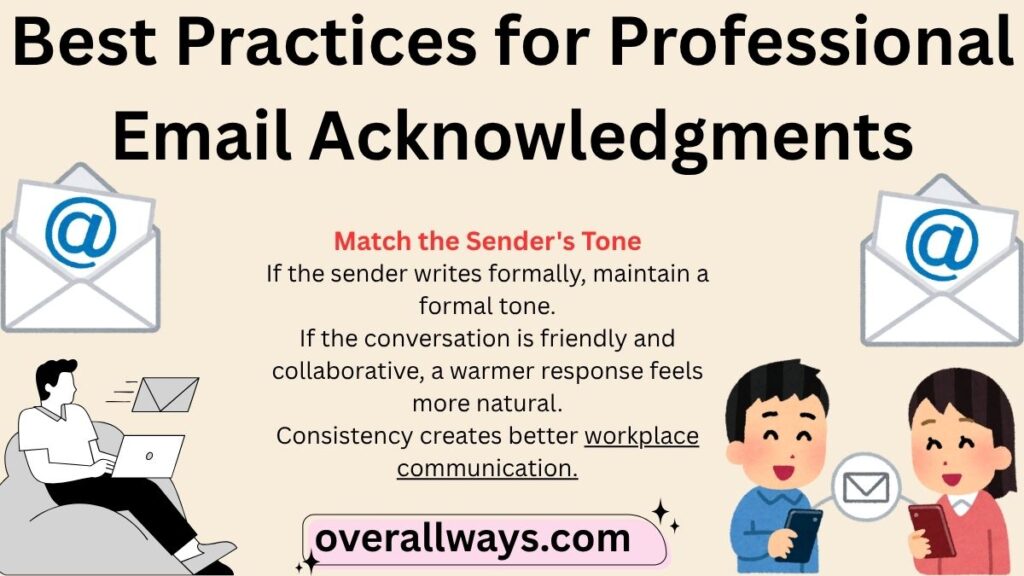
Great email replies don’t need to be long. They simply need to be clear, respectful, and useful.
Match the Sender’s Tone
If the sender writes formally, maintain a formal tone.
If the conversation is friendly and collaborative, a warmer response feels more natural.
Consistency creates better workplace communication.
Be Specific Whenever Possible
Specific replies reduce confusion.
Instead of:
Noted with thanks.
Write:
Noted with thanks. I’ll update the budget spreadsheet before tomorrow’s meeting.
Specific responses reassure the sender that you understood the request.
Keep Replies Concise
Professional emails should respect everyone’s time.
Most acknowledgment emails only need two or three sentences.
For example:
Thank you for your email. I’ve reviewed the updated schedule and will proceed accordingly.
Short doesn’t mean incomplete.
Show Appreciation Naturally
A simple thank-you creates a friendlier tone.
Examples include:
- Thank you for the update.
- Appreciate the update.
- Thank you for informing me.
- Received with thanks.
- Acknowledged with thanks.
These expressions work well in both internal emails and external emails.
Confirm Action When Appropriate
Whenever someone assigns work, mention what you’ll do.
For example:
- I’ll look into it.
- I’ll follow up.
- I will review it.
- I’ll take care of it.
- I’ll proceed accordingly.
This builds confidence and reduces unnecessary follow-up emails.
Expert Tips for Better Workplace Email Communication
Small improvements in your writing can make a noticeable difference.
Read the Entire Email Before Replying
Many misunderstandings happen because someone responds before fully reading the message.
Take a moment to understand:
- the request,
- the deadline,
- the expected outcome,
- and any attachments.
Don’t Sound Like a Robot
Professional doesn’t mean emotionless.
Compare these examples.
Less Natural
Information received.
Better
Thank you for your email. I’ve received the information and will review everything this afternoon.
The second version sounds much more conversational while remaining professional.
Choose Words That Match the Situation
Not every email requires the same level of formality.
| Situation | Better Response |
|---|---|
| Client request | Thank you for your email. I’ll review it today. |
| Manager instruction | Understood. I’ll take care of it. |
| Team update | Thanks for letting me know. |
| HR notification | Acknowledged with thanks. |
| Vendor communication | Confirmation received. |
Think Beyond Acknowledgment
The best replies answer the sender’s next question before they ask it.
Instead of simply saying:
Understood.
Consider:
Understood. I’ll finish the requested revisions today and share the updated document before 4 PM.
That’s excellent email confirmation because it communicates both understanding and action.
Real-World Example
Other ways to say well noted in an email at work
Imagine you’re managing a marketing campaign.
Your manager emails:
“Please update the campaign budget, revise the presentation, and send everything before Thursday.”
Weak Response
Well noted.
Better Response
Thank you for the update. I understand the requested changes and I’ll revise the budget and presentation today. I’ll send both files before Thursday as requested.
The second response:
- confirms understanding,
- demonstrates accountability,
- communicates the next step,
- reduces uncertainty.
That’s exactly what effective professional writing aims to achieve.
Case Study: Improving Workplace Communication With Better Email Replies
Situation
A project coordinator regularly replied to every email with:
Well noted.
Although technically correct, team members often wondered whether work had actually started.
Managers had to send additional follow-up emails asking for progress updates.
Solution
The coordinator began using more descriptive acknowledgments.
For example:
Thank you for your email. I’ve taken note of the revised schedule and will update the project plan before the end of the day.
Result
The improved replies:
- reduced unnecessary follow-up emails,
- improved project visibility,
- strengthened manager confidence,
- created clearer expectations,
- improved overall effective workplace communication.
The lesson is simple:Acknowledgment works best when it combines understanding with action.
Quick Checklist Before Sending Your Email
Use this checklist whenever you reply to a workplace email.
- ✅ Did I acknowledge the message?
- ✅ Did I confirm understanding?
- ✅ Did I thank the sender if appropriate?
- ✅ Did I explain the next step?
- ✅ Is my tone appropriate?
- ✅ Is my reply concise?
- ✅ Did I proofread before sending?
If you answered “Yes” to each question, your email is likely ready to send.
Pros and Cons of Using “Well Noted”
Other ways to say well noted in an email at work
| Pros | Cons |
|---|---|
| Professional | Can sound cold |
| Short and concise | Doesn’t show appreciation |
| Widely understood | May feel repetitive |
| Easy to use | Doesn’t confirm action |
| Appropriate for routine updates | Less engaging than personalized replies |
For many workplace situations, adding one extra sentence creates a stronger response than using well noted alone.
Frequently Asked Questions
What can I say instead of well noted?
Some of the best alternatives to well noted include:
- Acknowledged
- Understood
- Thank you for the update
- I’ve taken note
- Received with thanks
- I confirm receipt
- I’ll proceed accordingly
- I’ll follow up
- I appreciate the information
- Message received
Choose the option that best fits the situation and your relationship with the recipient.
Is well noted professional?
Yes. It’s generally considered professional in business emails.
However, adding appreciation or explaining your next action often creates a warmer and more effective response.
Is well noted polite?
Yes, although some readers find it slightly formal or impersonal.
If you’re replying to a client or manager, consider using:
Thank you for your email. I’ve noted your request and will review it today.
This sounds more natural.
How do you say well noted in an email?
You can use alternatives such as:
- Acknowledged
- Understood clearly
- I’ve taken note
- Information received
- Received your message
- Got your message
- Noted accordingly
- Accepted
- Taken into consideration
- Aware of it
- Recognized
Each phrase communicates acknowledgment in a slightly different way.
What is another way to say well noted?
Some excellent professional alternatives to well noted include:
- Thank you for informing me
- Appreciate the update
- Acknowledged with thanks
- Duly acknowledged
- Understood and noted
- Thank you for your email
- I understand
- I’ll keep that in mind
- I’ll look into it
- I’ll take care of it
How do you acknowledge an email professionally?
A strong acknowledgment usually includes three parts:
- Thank the sender.
- Confirm understanding.
- Mention your next action.
Example:
Thank you for your email. I understand your request and I’ll review the attached documents this afternoon.
What is a formal alternative to well noted?
Some of the best formal alternatives to well noted include:
- Duly noted
- Acknowledged
- Duly acknowledged
- I confirm receipt
- Received with thanks
- Acknowledged with thanks
These work especially well in formal office communication and official correspondence.
How do I confirm receipt of an email?
If your goal is to acknowledge receipt professionally, you can write:
Thank you for your email. I confirm receipt of the attached documents and will review them shortly.
This clearly communicates that the email arrived successfully.
Is duly noted better than well noted?
Neither phrase is universally better.
- Duly noted sounds more formal.
- Well noted sounds slightly more conversational.
For many modern workplaces, phrases like Thank you for the update or I understand often sound even more natural.
Final Thoughts
Using well noted isn’t wrong, but it’s rarely the strongest choice.
Today’s workplace values communication that is clear, respectful, and action-oriented. Whether you’re responding to a manager, client, coworker, or HR representative, your acknowledgment should do more than confirm receipt—it should reassure the sender that you understand the message and know what comes next.
By expanding your vocabulary with these other ways to say well noted, you can write emails that feel more thoughtful and professional. Simple changes such as adding appreciation, confirming understanding, or mentioning your next step can significantly improve your email etiquette, professional correspondence, and overall communication skills.
The next time you reach for well noted, pause for a moment and consider the context. A response like “Thank you for the update. I’ll proceed accordingly,” or “I appreciate the information and will follow up tomorrow,” often leaves a stronger impression.
Ultimately, the best professional way to say well noted is the one that fits the situation, respects the recipient, and moves the conversation forward with clarity and confidence.

Hi, I’m Oliver Grant. I write about word meanings, slang terms, acronyms, and communication tips. Through Overall Ways, I help readers learn new words, understand modern language trends, and communicate more effectively.
